
MiBoxer 5-in-1
LED Controller
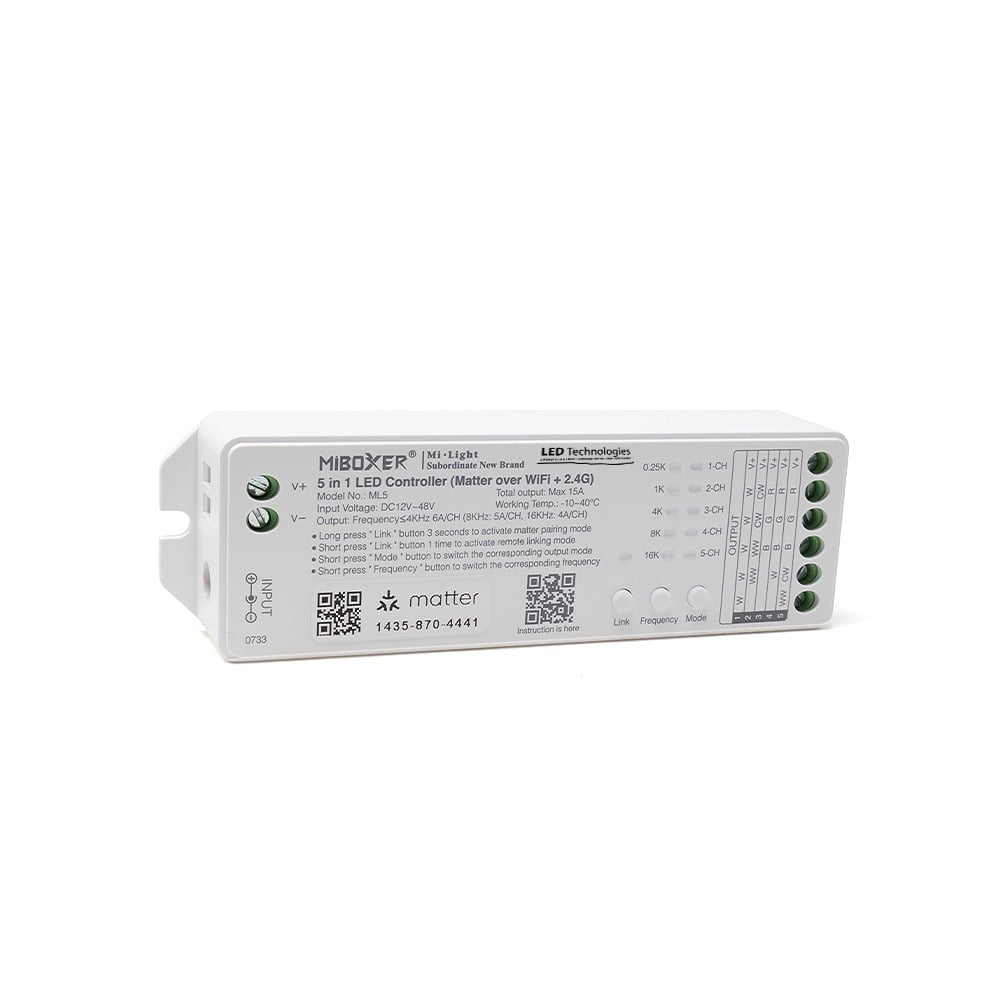
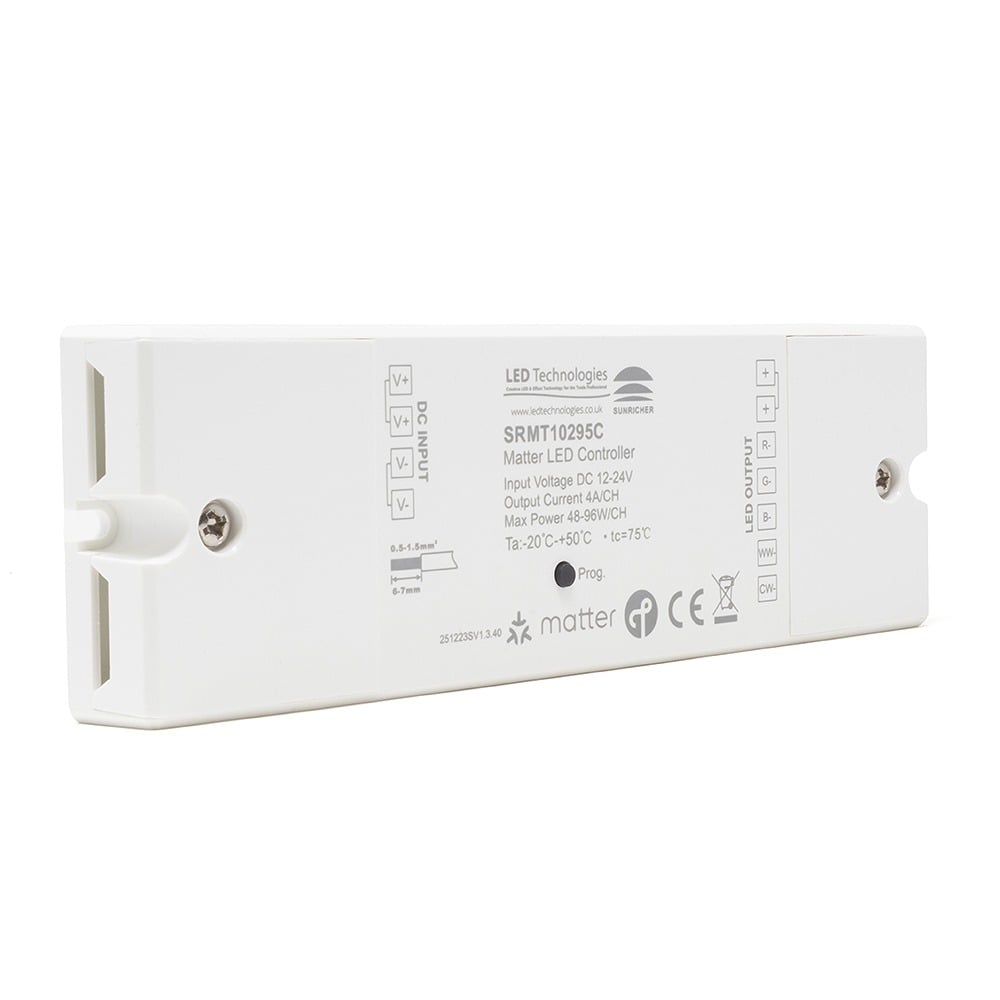
Control single-colour, CCT, RGB, RGBW or RGB+CCT strip with a 12–48V controller. Matter over Wi-Fi and compatible MiBoxer remotes give you control across a 15A total output.
Explore the ML5Checkout using your account
Checkout as a new customer
Creating an account has many benefits:


Extraordinary lighting. Effortless everyday control. Bring your LED strips, dimmers and switches together with a smart home standard designed to connect.
What is Matter? A common standard that helps compatible smart home devices work together. For lighting, that means a clearer route from the LED strip you love to the app you already use.
Matter is an IP-based connectivity standard supported by major smart home ecosystems. It gives compatible controllers, dimmers and switches a common way to communicate, so everyday lighting can become part of a connected home.
Dim the kitchen after dinner. Bring a softer white to the living room. Group your lights into a scene. Start with the lighting effect you want, then choose the right Matter controller, network and platform to bring it together.
Choose compatible products across brands and bring supported lighting into the smart home platform you prefer.
Matter uses local connectivity for supported everyday commands, helping reduce dependence on cloud-to-cloud links.
Device authentication, encrypted communication and access controls are part of the Matter standard.
Add compatible devices with a Matter setup code, then organise your lighting by room and routine.
From a single LED strip to a more considered whole-room scheme. Explore Matter lighting controllers, smart dimmers, relays and converters from MiBoxer and Sunricher.

Control single-colour, CCT, RGB, RGBW or RGB+CCT strip with a 12–48V controller. Matter over Wi-Fi and compatible MiBoxer remotes give you control across a 15A total output.
Explore the ML5
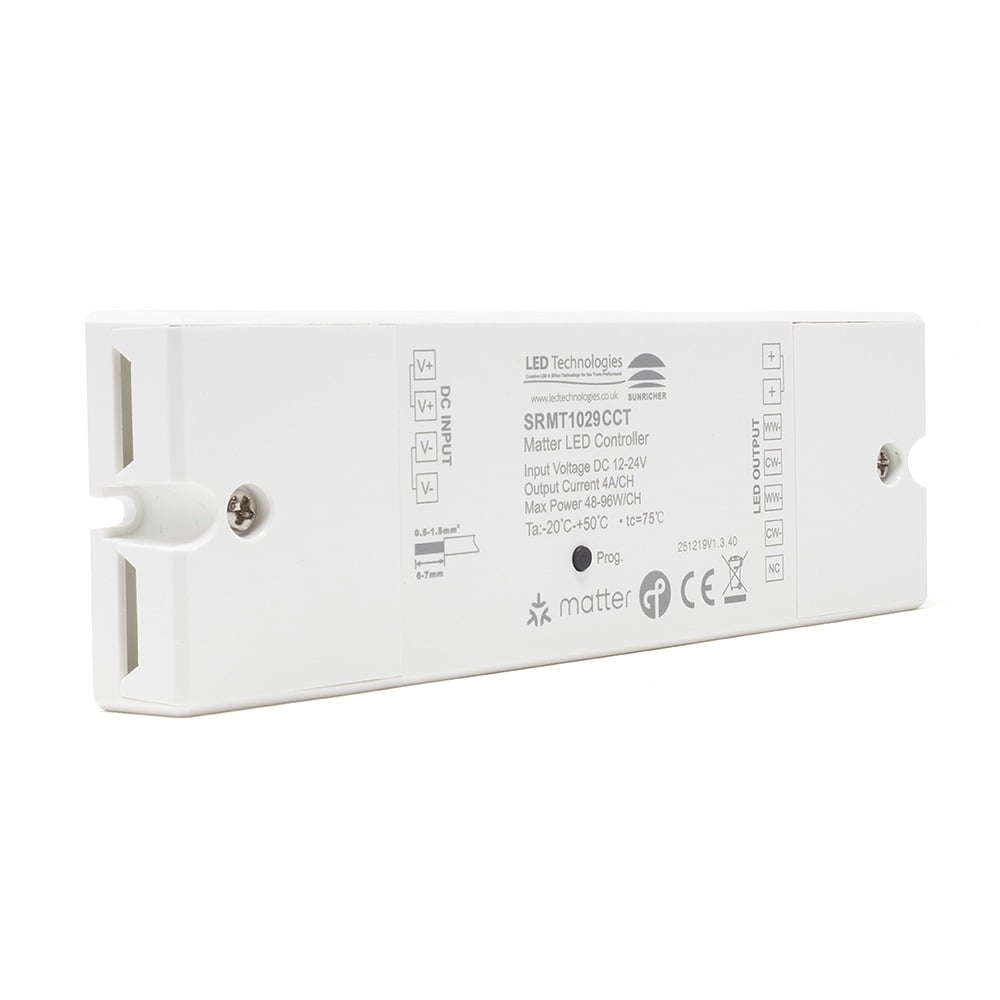
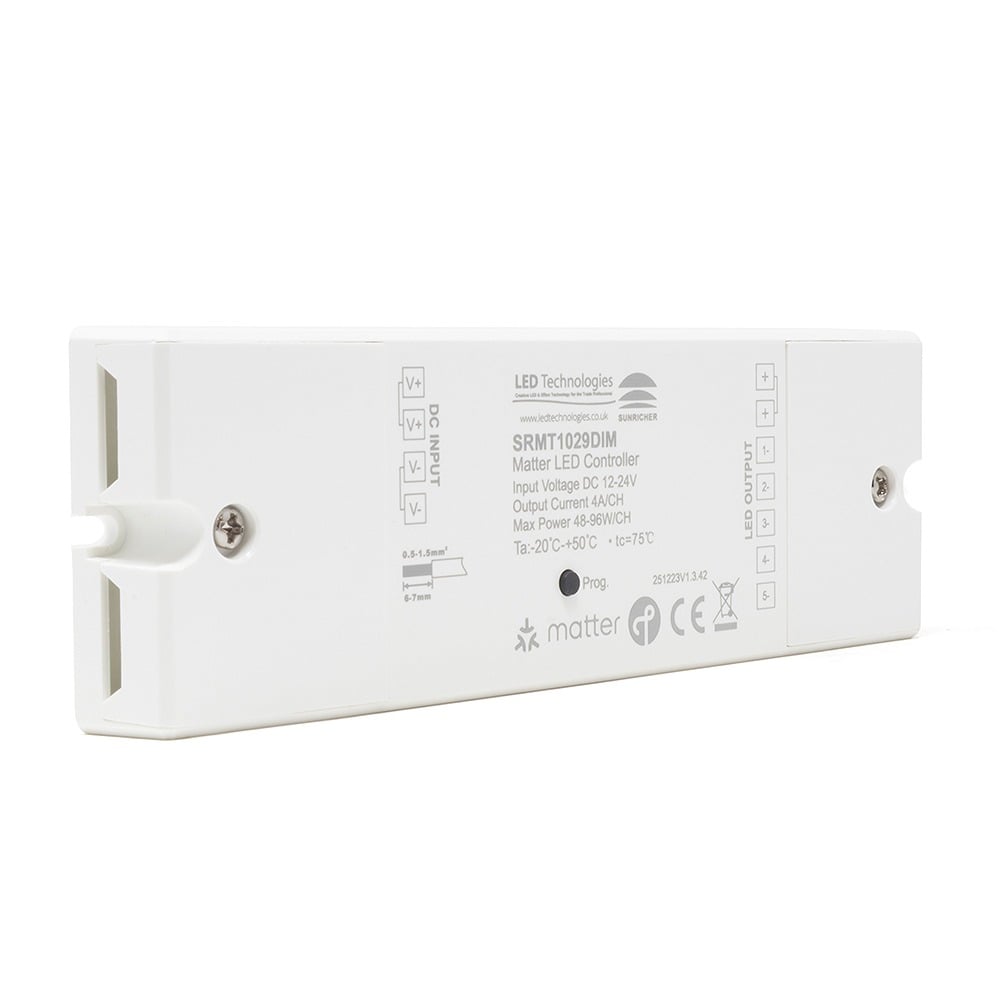
Bring colour and adjustable white together with five-channel RGB+CCT control. This 12V or 24V controller supports Matter over Thread and Zigbee, with up to 4A per channel.
Explore RGBCCT Control
Tune warm and cool white together with this dual-white strip controller. Its two outputs work in unison with compatible 12V or 24V strip through Matter over Thread.
View CCT Controller
Dim compatible single-colour LED strip using Matter over Thread. This 12V or 24V controller links several outputs, giving each connected strip the same smooth, reliable lighting response.
View Strip Dimmer
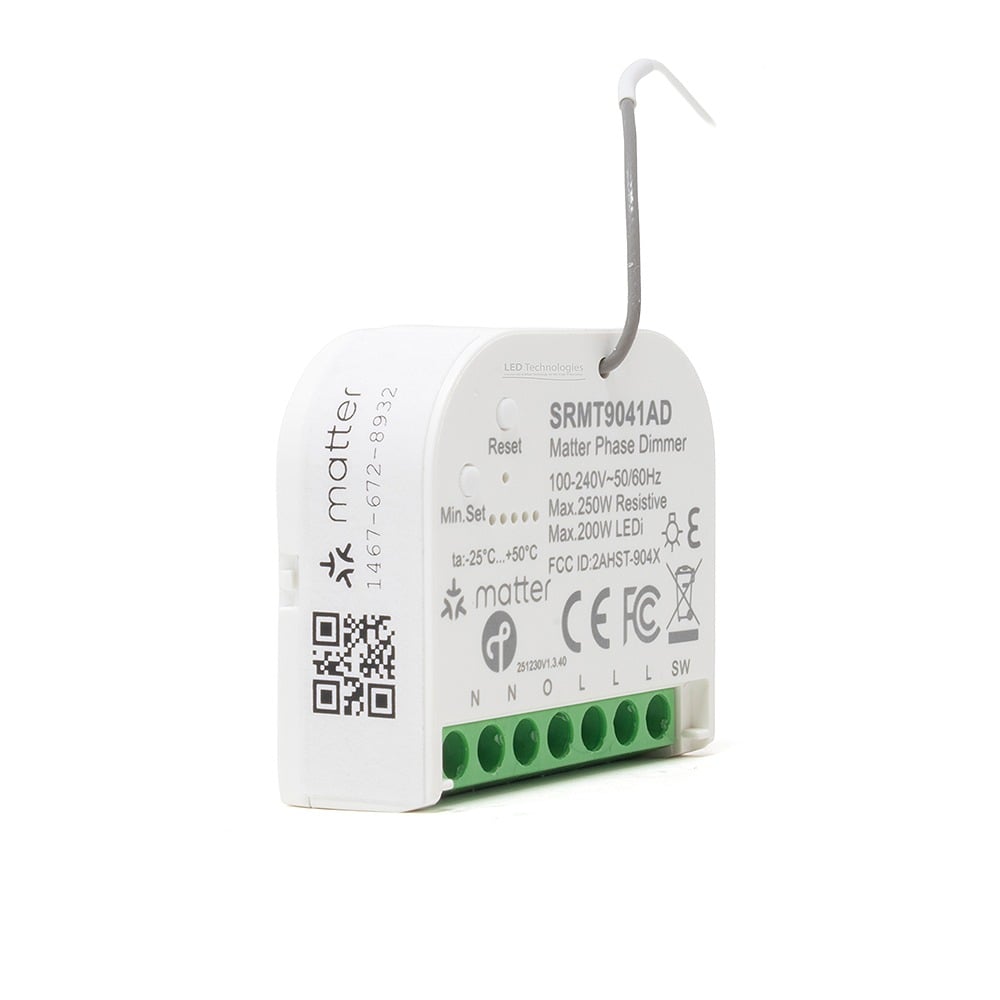
Dim compatible mains lamps and LED drivers with this trailing-edge phase-cut module. Matter over Thread adds smart control, while minimum and start-up brightness settings help tailor performance.
View Mini Dimmer
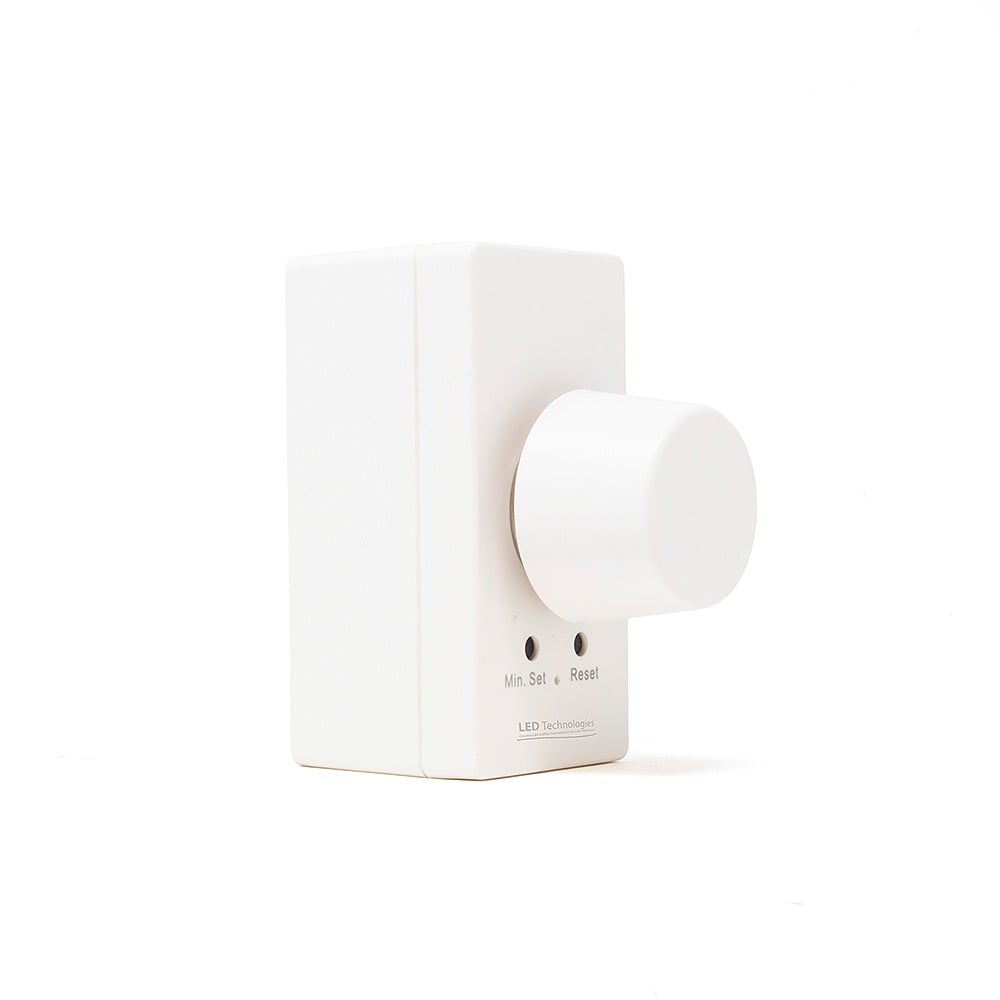
Use a rotary wall control with Matter over Thread for compatible mains dimmable lighting. This phase-cut module fits a suitable wall plate and matched lamps or drivers.
View Rotary Dimmer
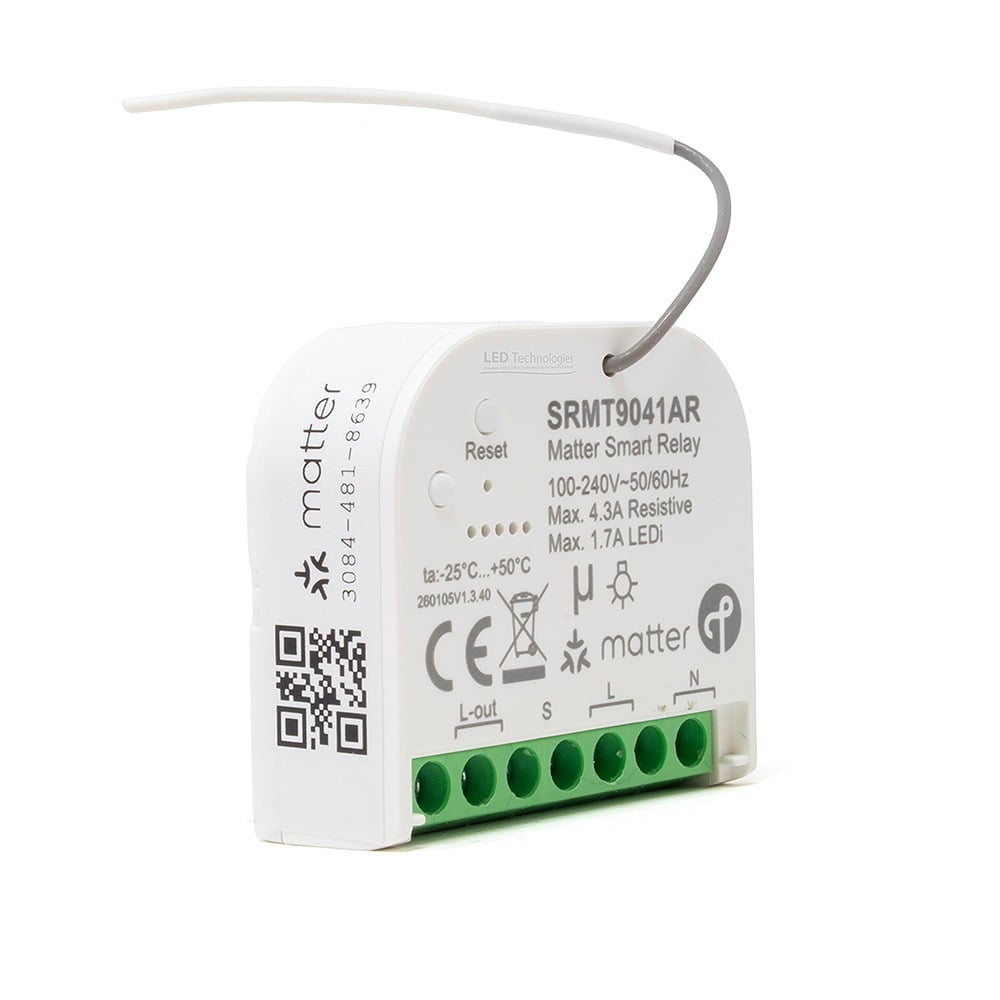
Add smart on/off switching to a compatible circuit with this compact single-channel relay. Matter over Thread and Zigbee support sit alongside energy metering for clearer everyday control.
View Single Relay
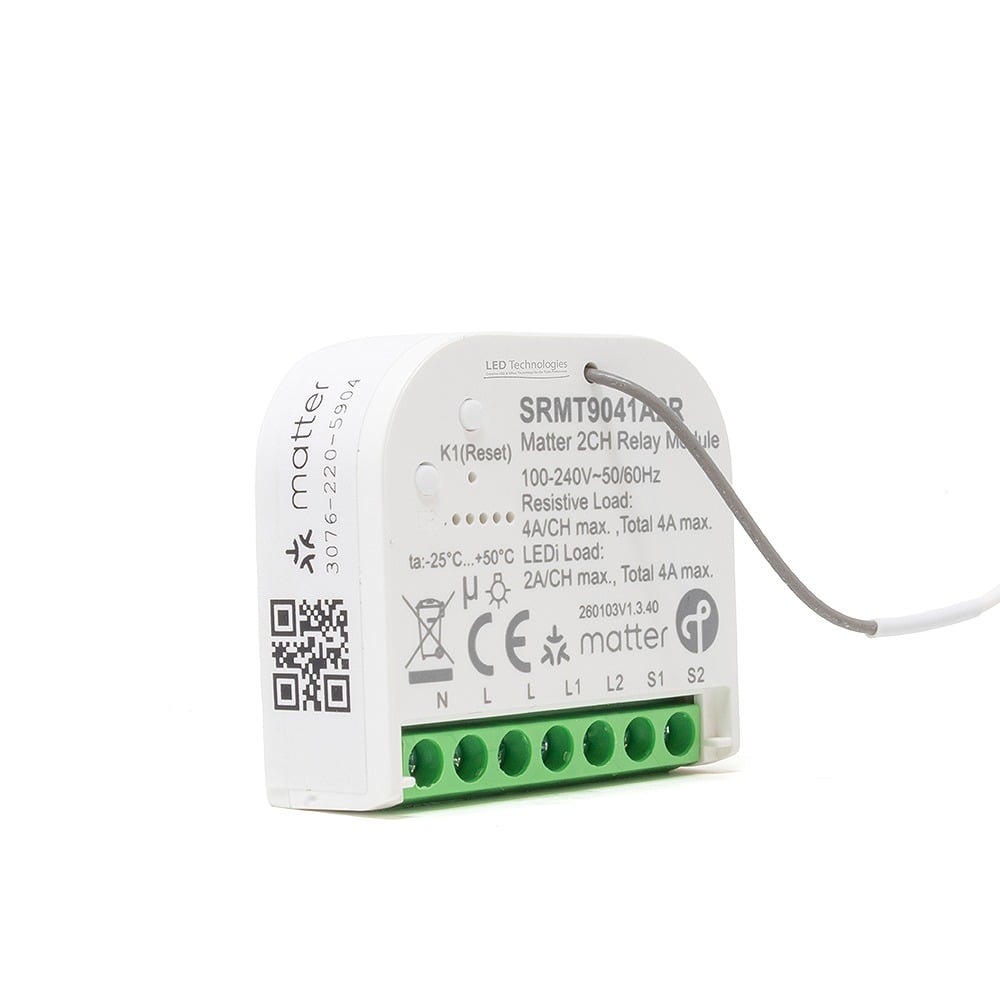
Switch two compatible loads with a compact dual-channel smart relay. Matter over Thread and Zigbee support connected control; check each channel rating and combined load before installation.
View Dual Relay
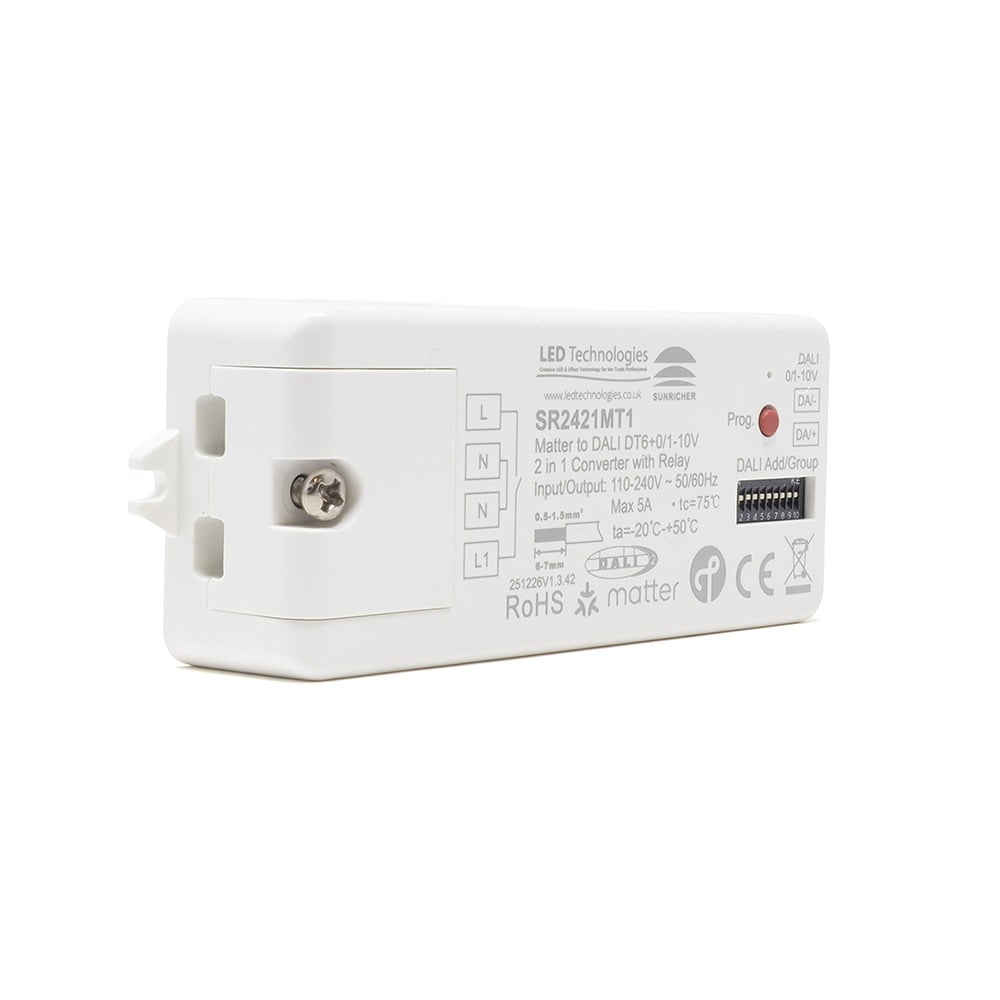
Connect compatible DALI DT6 or 0–10V drivers through Matter over Thread. Configure output mode using on-board switches; the integrated DALI bus supply supports up to 25 drivers.
Explore the ConverterMatch the controller to your lighting, load and network. Product pages include current specifications, datasheets, prices and availability. Dual-technology support does not automatically mean both protocols operate simultaneously.
View All Matter ProductsKeep the platform you feel at home with. Matter provides the shared language; Wi-Fi or Thread provides the connection. The right controller turns that connection into light.
The Shared LanguageThe controller joins your Wi-Fi network. A practical option when you want to use existing coverage for smart LED strip control.
Wi-Fi Network + Compatible Platform
Featured Option: MiBoxer ML5
The controller uses a Thread mesh network. A compatible Thread border router connects that network to the rest of your home network.
Thread Network + Border Router + Platform
Featured Options: Sunricher Matter
A Matter controller manages devices within a platform. A Thread border router connects Thread to your IP network. Some smart speakers and hubs perform both roles, but support varies by model. Check the actual device you own.
Check that your platform supports the lighting functions you need. Colour temperature, energy data, advanced effects and physical controls depend on the product and ecosystem; the Matter badge is not a promise that every app exposes every feature.
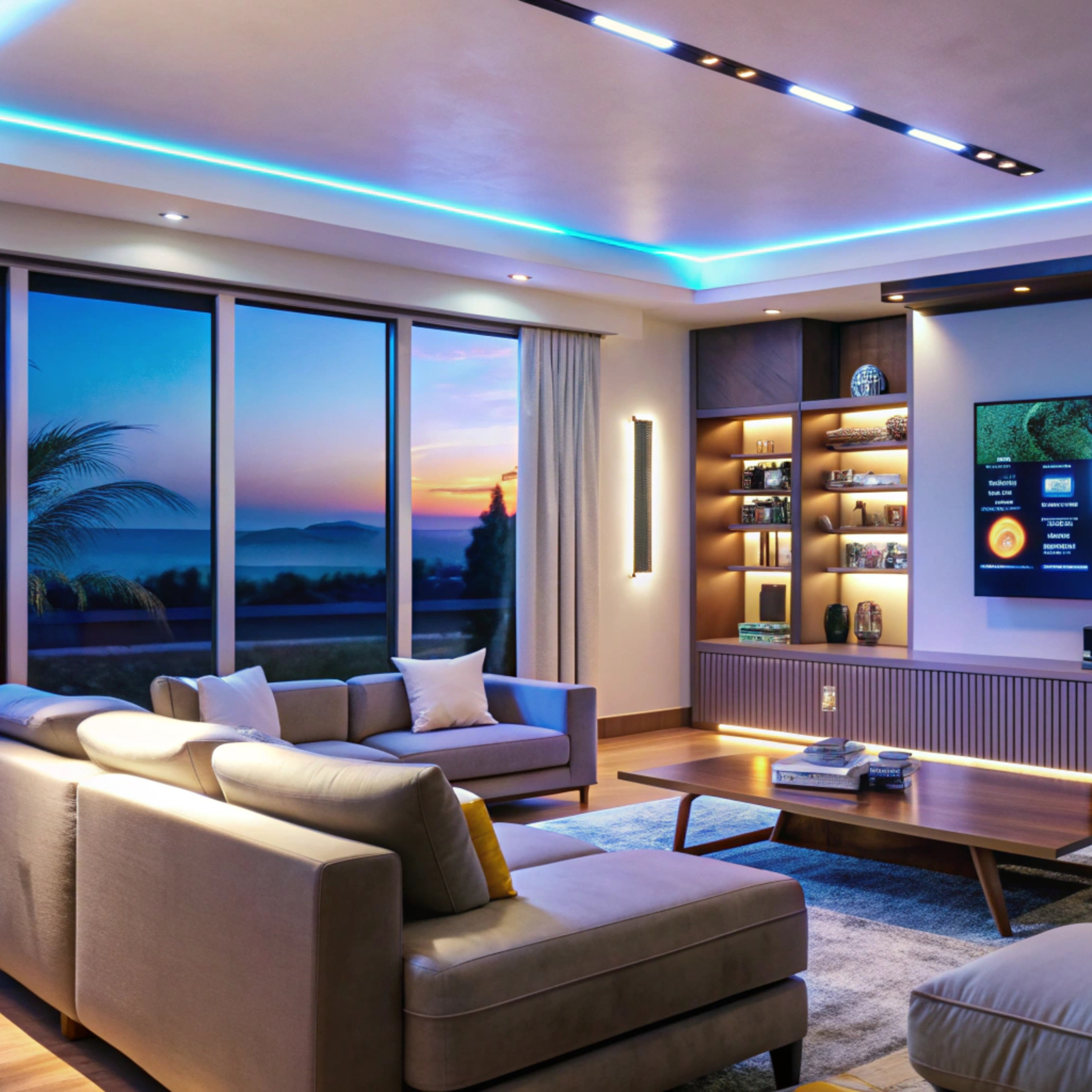
The best smart lighting starts with the space. Create layers of light that feel considered, then make them easy to enjoy with scenes, schedules and compatible controls.

Use soft, indirect LED light to give a room depth. Group compatible circuits into an evening scene so the lighting changes with one command, while retaining the physical controls that suit your home.

Combine useful worktop lighting with a softer glow along the plinths. Choose single-colour dimming for a consistent white, or matching CCT strip and control when you want adjustable white light.

Highlight shelves, frame a media wall or add colour to a home office. RGBW or RGB+CCT strip gives you dedicated white light as well as colour when paired with a matching controller.
Matter connects the control; the LED strip, aluminium profile, diffuser and installation detail create the effect. Choose brightness, colour quality and protection for the space, then plan separate circuits where you want independent scenes.
Lighting inspiration from our image collection. These images illustrate possible lighting effects; they do not identify the control protocol used in an installation.
A smart lighting installation is still a lighting installation. Think about the LED strip, power, control and network as one system, and it becomes much easier to choose well.
Decide on white, tunable white or colour. Check the voltage, watts per metre, length, light output and IP rating. The channel configuration must match the controller’s supported output mode.
Use a suitable constant-voltage LED power supply for the strip and controller. Check the full load, the manufacturer’s headroom guidance, cable lengths and the need for additional power feeds.
Check voltage, total current and per-channel limits. Plan the number of independently controlled zones. A relay switches a load; a dimmer or multi-channel controller adds the functions it supports.
Choose Wi-Fi or Thread to suit the installation. Confirm your platform, controller or hub requirements, Thread border router if needed, and coverage at the actual controller position.
| Your Lighting | What to Match | Where to Start |
|---|---|---|
| Single-Colour LED Strip | One colour or a fixed white tone. Match strip voltage and load to a constant-voltage dimming controller. | Single-Colour Control |
| CCT / Tunable White | Warm-white and cool-white channels. Choose a CCT controller and a matching dual-white LED strip. | CCT Control |
| RGB, RGBW or RGB+CCT | Three, four or five colour channels. Select the correct controller mode before pairing and commissioning. | 5-in-1 Control |
| Mains Dimmable Lighting | Phase-cut dimmable lamps or drivers. Check dimming type, minimum load and installation requirements. | Mains Dimming |
| DALI DT6 or 0–10V Drivers | A compatible conversion interface. Confirm driver support, the required output mode and grouping behaviour. | DALI & 0–10V Control |
Plan for a clean finish and easy access. Place controllers and power supplies where they can be serviced, with the ventilation and protection the manufacturer requires. Check wireless reception before hiding equipment in furniture or an enclosure.
Keep everyday control intuitive. Decide how wall controls, remotes and app scenes will work together. A mains switch that disconnects a smart controller also disconnects its wireless control. For mains wiring and dimmer modules, use a suitably qualified installer and the product-specific wiring documentation.
Install and test the lighting first. Then add the controller to your preferred home platform and give each room a clear, useful name.
Keep the original Matter setup code somewhere safe. It can be needed again when recommissioning or resetting a device.
Check that your Google Home setup includes a hub that supports the Matter device and connection type. Thread devices also need a compatible Thread border router. In the Google Home app, start the add-device flow, choose the Matter-enabled option when offered, and scan the setup code. Follow the current app instructions to select the home and room, then test the lighting functions.
If the controller is already commissioned to another platform, use that platform’s Matter sharing process to generate the code needed to add it to Google Home.
Confirm that your Alexa setup has a compatible Matter controller and, for a Thread accessory, a suitable Thread border router. Put the lighting controller into pairing mode, open the Alexa app and follow the add-device process for the Matter accessory. Scan or enter the requested setup code, then assign a useful name and room or group.
Test switching, dimming and colour functions supported by your controller and Alexa. Available features depend on the device, hub model and current software.
Start with a small number of useful scenes: brighter task lighting for preparing food, softer ambient light for relaxing, and a clear way to switch the room off. Keep scene names short and distinct if you plan to use voice commands. Test the routine with everyone who uses the space.
For multiple apps, use Matter sharing where supported. Avoid creating conflicting schedules in different platforms, and check that each automation behaves as expected after a power interruption.
Understand Matter smart lighting before you choose. From LED strip compatibility to Thread networks, these are the details that make a system easier to specify and use.
A Matter LED controller connects compatible lighting to a Matter smart home system. For constant-voltage LED strip, the controller sits between the correctly specified DC power supply and the strip, regulating its channels for dimming, adjustable white or colour. The strip itself does not need a wireless radio: the controller provides the smart connection. Match the controller to the strip’s voltage, channel arrangement and electrical load.
Matter supports connections with major smart home platforms, including Apple Home, Amazon Alexa, Google Home and Samsung SmartThings. Your platform must support the device type and the functions you want to use. Check the exact hub model, software and network requirements before buying. A product’s advanced effects or manufacturer-specific settings may still need its own app, even when everyday switching and dimming are available in your preferred home app.
That depends on both the controller and your chosen smart home platform. A Matter-over-Thread device needs access to a Thread network through a compatible Thread border router. A Matter-over-Wi-Fi controller such as the ML5 joins the Wi-Fi network and does not need a Thread border router for that connection. Your platform may still require a Matter controller or home hub, particularly for automations and remote access. A hub and a border router are different roles, although one device can provide both.
Often, yes, if the existing strip is electrically compatible with a suitable Matter controller. Confirm whether it is single-colour, CCT, RGB, RGBW or RGB+CCT, then check the voltage, wiring and load. You may be able to retain the LED strip and a suitable constant-voltage power supply. Addressable pixel strip, constant-current fittings and mains-powered strip require their own appropriate control arrangement; do not assume a standard multi-channel strip controller will work.
RGB uses red, green and blue channels to mix colours. RGBW adds a separate white channel with a fixed white colour temperature. RGB+CCT adds warm-white and cool-white channels, allowing both colour and adjustable white light when supported by the controller and app. Choose the strip as well as the controller for the result you want: a controller cannot add a dedicated white channel to an RGB-only strip.
No. Matter defines how compatible smart devices communicate at the application level. Wi-Fi and Thread provide network connections that Matter can use. Zigbee is a separate protocol; a Zigbee device does not become a Matter device simply because the two appear in the same home. Some products offer both technologies, while compatible bridges can expose supported devices to Matter. Follow the product’s instructions for operating modes and pairing.
Matter supports communication over the local network, so supported local lighting control can continue without an internet connection when the required local devices and network are working. That does not mean every feature works offline. Voice processing, access from outside the home, account services and some automations may depend on the platform or an internet connection. Keep a suitable physical control option where everyday access to the lighting is important.
Matter’s multi-admin feature allows a supported device to be shared with more than one compatible platform. Start from the app where the device is already commissioned and follow its sharing or pairing procedure to add the next platform. You may need a newly generated pairing code rather than the original printed code. Available lighting functions and how scenes are named can differ between apps.
Choose a controller with the specific physical control support your project needs. The MiBoxer ML5 supports compatible MiBoxer 2.4GHz handsets and wall panels. Selected Sunricher dimmers and relays support appropriate wired switch inputs. An ordinary switch that cuts the controller’s power will also remove its smart connection while switched off. Plan the switch arrangement before installation and follow the product’s wiring instructions.
Calculate the strip load from its specified watts per metre and the connected length. Check the controller’s total and per-channel current limits, the output mode, the supply voltage and any derating requirements. Select a power supply according to its manufacturer’s loading guidance, installation temperature and ventilation needs. Long runs can require additional power feeds and careful cable sizing. Our technical team can help check a proposed combination against the actual product data.
A suitable converter can connect the systems. The Sunricher SRMT2421MT1 offers selectable DALI DT6 dimming or 0–10V output from its Matter-over-Thread or Zigbee connection. It is a specific interface for compatible drivers, not a universal replacement for every DALI installation. Confirm supported grouping, broadcast behaviour and dimming requirements; do not assume it offers individual address control, DALI DT8 colour control or every feature of a full DALI commissioning system.
The featured LED strip controllers are IP20 products intended for a suitable dry installation environment. Choosing outdoor-rated LED strip does not make its controller or power supply weatherproof. Plan the enclosure, temperature, ventilation, cable entries and wireless coverage as part of the complete installation. Ask our team to help specify the components and installation arrangement for garden, bathroom or other moisture-exposed applications.
First check the exact controller’s instructions and whether it is in pairing mode. Confirm that the app and hub are updated, the required network is available, and a Thread border router is present for a Thread device. For Wi-Fi devices, check the supported Wi-Fi band and that network isolation is not blocking discovery. If the device already belongs to another platform, use that platform’s sharing process or the manufacturer’s reset procedure. Keep the original setup code safe.
Matter can be useful for connected residential lighting and other projects whose network, platform and control requirements suit the system. For larger or more complex installations, assess coverage, the number of devices and zones, who manages the system, and how lighting should behave if a hub or network is unavailable. DALI, DMX, KNX or other control systems may suit particular requirements. We can help compare the options before you commit to a control strategy.
Planning one room or a more ambitious installation? Tell us about the lighting, your preferred smart home platform and the control you need. We can help you choose compatible products and work through the details.
For custom lengths, specialist finishes or a bespoke lighting assembly, explore our manufacturing services and discuss your project with our team.